



What ?
filter( )
배열의 얕은 복사본 을 만들고, 함수의 조건 에 맞는 요소 로만 필터링하는 함수
💡 형태
filter( callbackFn, thisArg )
💡 매개변수
| 요소 명 | 설명 |
| callbackFn ( 필수 ) | - Array ( 배열 ) 내 각 요소에 적용할 함수로 다음 인수를 통해 호출 - 인수 종류 1. element : 처리중인 배열 내 요소 2. index : 처리중인 배열 내 요소의 인덱스 3. array : filter() 가 호출된 배열 자체 |
| thisArg ( 선택 ) | callbackFn 실행 시, this 값 으로 사용할 값 |
How ?
const example = ['test', 'enchantment', 'tstory', 'subscribe'];

// word(인자)는 element 입니다.
const elementExample = example.filter((word) => console.log(word));
// index(인자)는 index 입니다.
const indexExample = example.filter((word,index) => console.log(index));
// arr(인자)는 array 입니다.
const arrayExample = example.filter((word,index,arr) => console.log(arr));
// 활용법
const result = example.filter((word) => word.length > 6);

console.log(elementExample);
console.log(indexExample);
console.log(arrayExample);
console.log(result);
💡 elementExample 결과
> "test"
> "enchantmetn"
> "tstory"
> "subscribe"
> Array []
💡 indexExample 결과
> 0
> 1
> 2
> 3
> Array []
💡 arrayExample 결과
> Array ['test', 'enchantment', 'tstory', 'subscribe']
> Array ['test', 'enchantment', 'tstory', 'subscribe']
> Array ['test', 'enchantment', 'tstory', 'subscribe']
> Array ['test', 'enchantment', 'tstory', 'subscribe']
> Array []
> Array ["exuberant", "destruction", "present"]
💡 result 결과
> Array ["exuberant", "destruction", "present"]
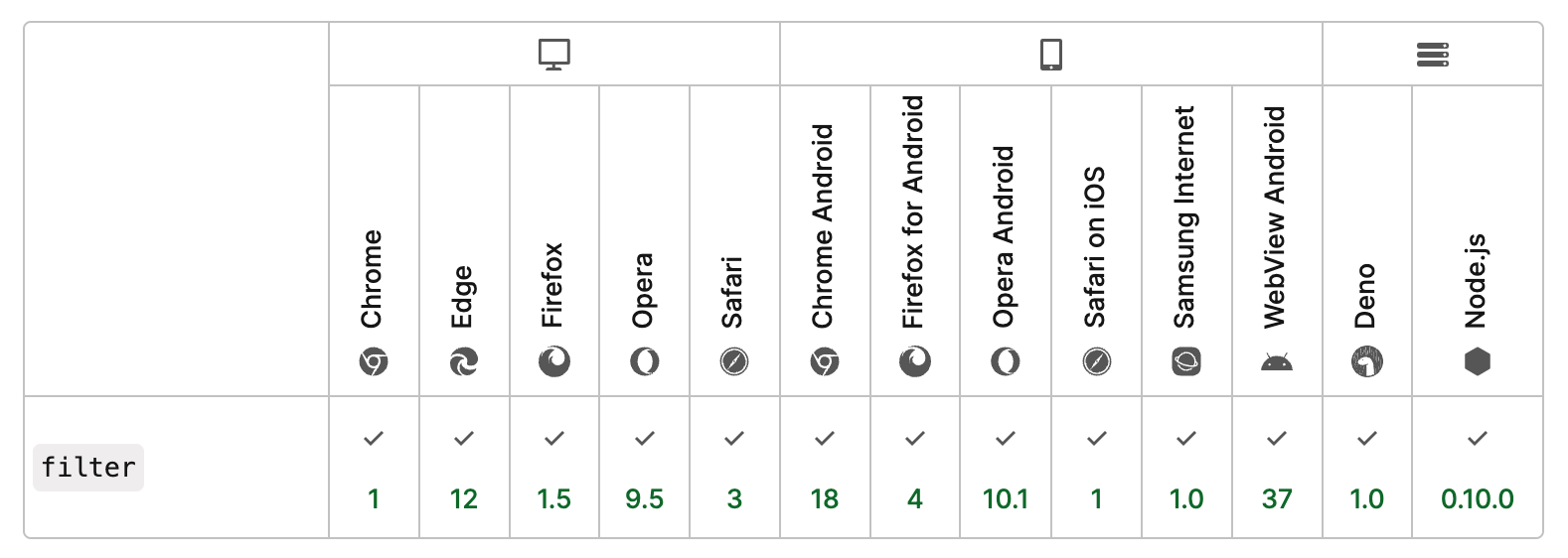
브라우저 호환성
728x90